WeatherXM Web App (app.weatherxm.com)
The WeatherXM Web App is the browser-based Station Cockpit for monitoring your weather stations, inspecting historical data and forecasts, tracking daily WXM rewards and Data Quality (QoD), and diagnosing offline or underperforming hardware — from any desktop or mobile browser.
Sign in at app.weatherxm.com using the same account email and password you use in the WeatherXM iOS or Android app.
Fleet Rail & Station Cockpit
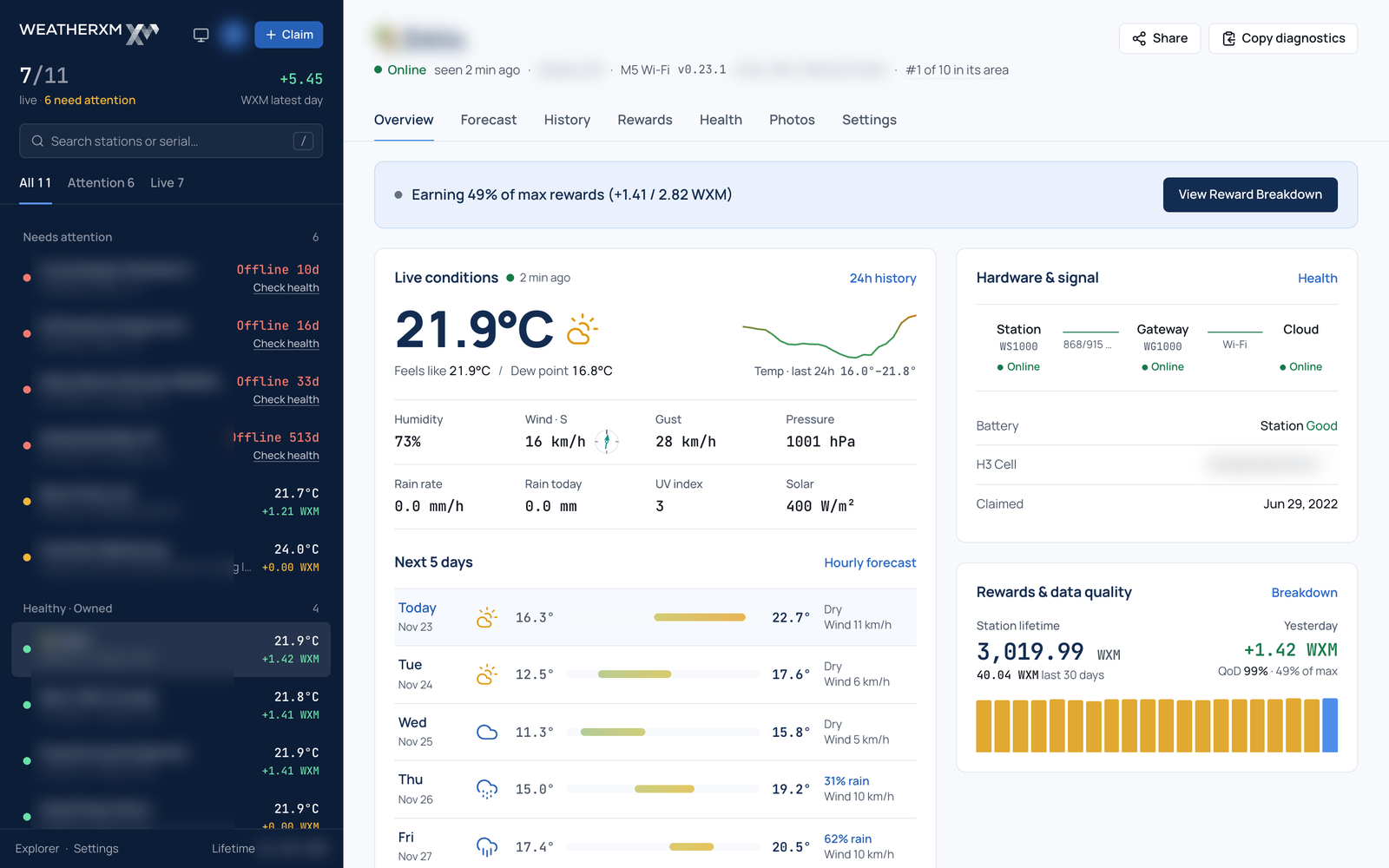
On desktop, the Web App uses a split-pane layout:
- Fleet Rail (left): Shows all your owned and followed stations grouped by status (Needs attention at the top, followed by Healthy · Owned and Following), with live temperatures, offline duration, latest daily rewards, and instant search by station name or serial.
- Station Cockpit (right): Displays the selected station's live status, firmware version, H3 cell rank, and 7 focused tabs.
Station Tabs
| Tab | Available To | What You Can Do |
|---|---|---|
| Overview | Owned & Followed | Live weather conditions, 24-hour temperature sparkline, 5-day thermal range forecast, hardware & signal summary, and a 30-day rewards bar strip. |
| Forecast | Owned & Followed | Hyperlocal hourly and 5-day forecast with multi-element switcher (temperature, wind, precipitation, pressure, solar/UV) and 3-hourly breakdown. |
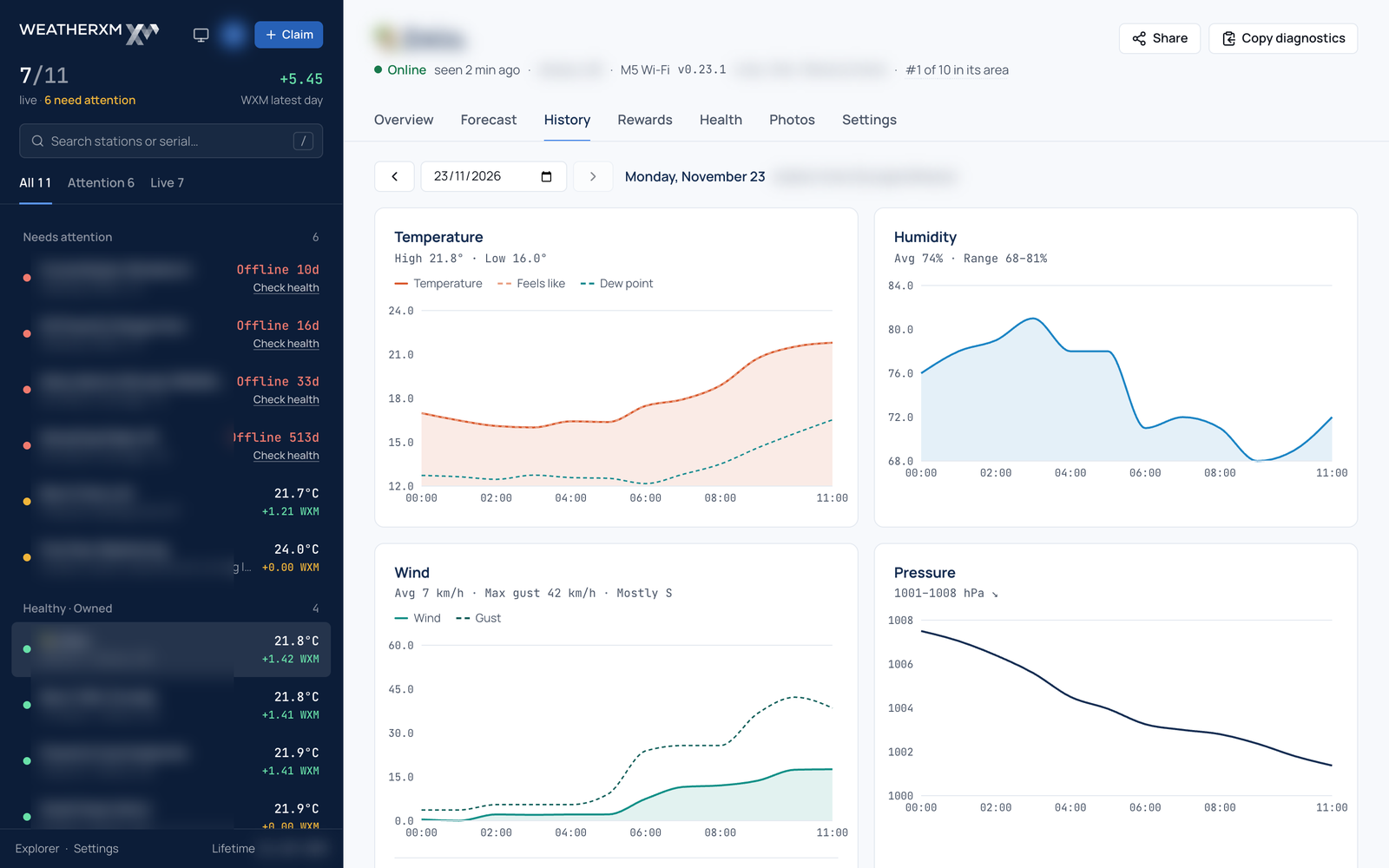
| History | Owned & Followed | Day-by-day historical charts for temperature (with feels-like & dew point), humidity, wind speed & gust (plus wind direction), pressure, precipitation, and solar/UV. |
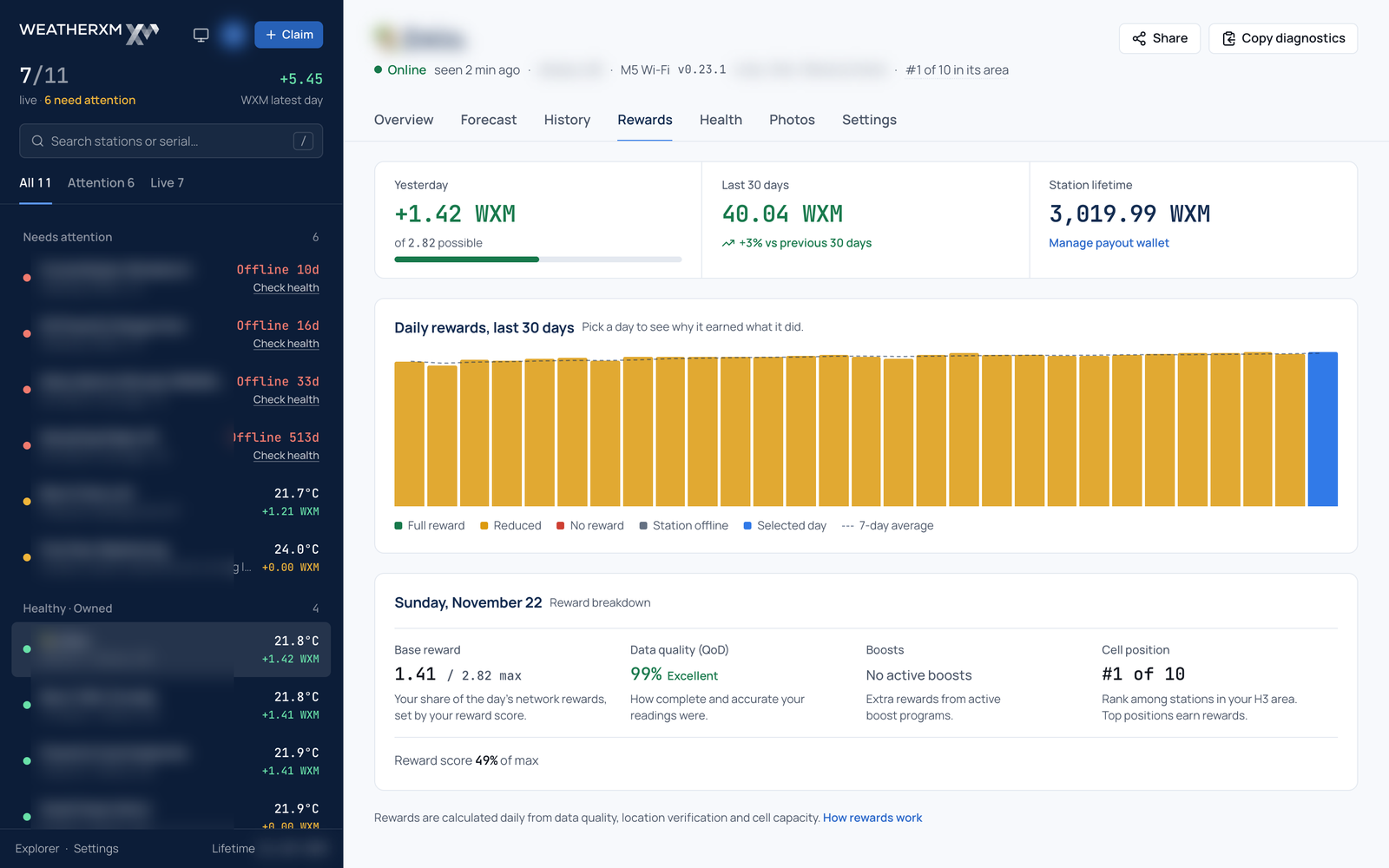
| Rewards | Owned only | Latest day, 30-day, and lifetime WXM totals, interactive 30-day bar chart, and per-day breakdown of Base reward, Data Quality (QoD), Boosts, and Cell position. |
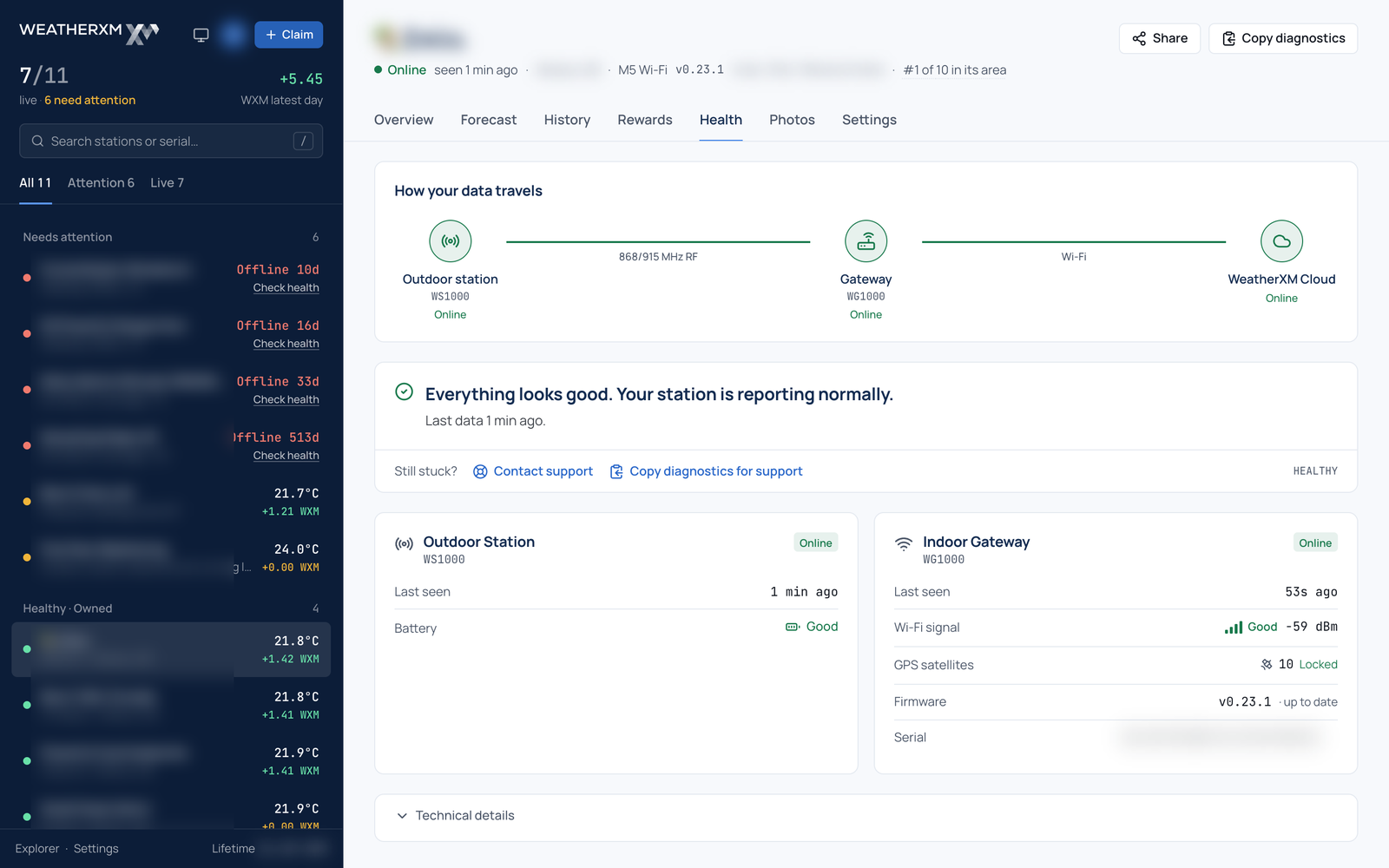
| Health | Owned only | Full Offline Station Debugger separating outdoor station health from gateway health, live signal chain, battery, firmware status, GPS lock, and one-click support diagnostics. |
| Photos | Owned only | View your uploaded Station Photo Verification (SPV) photos alongside deployment guidelines. |
| Settings | Owned & Followed | Set a personal friendly name for the station, view hardware metadata, or unfollow a followed station. |
Diagnosing Issues with the Health Tab
The Health tab visualizes the exact path your data travels — Outdoor Station → Gateway → WeatherXM Cloud — so you can immediately tell whether an outage is on the outdoor sensor unit (e.g., low battery or RF link) or on the indoor gateway (e.g., Wi-Fi/4G connectivity, firmware, or GPS lock on M5).
If you need help from Support, click Copy diagnostics to copy a structured hardware and telemetry summary to your clipboard.
Tracking Rewards & Data Quality
The Rewards tab shows your daily WXM earnings across the last 30 days. Clicking any bar opens that day's breakdown — including your QoD score, active boosts, cell rank, and any reward-reducing or advisory quality annotations.
Exploring Historical Weather Data
The History tab lets you step through any past date in the station's local timezone and inspect multi-parameter charts for temperature, humidity, wind, pressure, precipitation, and solar irradiance.
Account, Wallet & Preferences
From the bottom of the Fleet Rail or your profile avatar, you can also manage your account directly in the browser:
- Profile (
/profile): View your account details, add or update your EVM rewards wallet address, or initiate account deletion. - Settings (
/settings): Choose your preferred measurement units (temperature, wind speed, pressure, precipitation) and light/dark/system appearance. - Password Reset (
/forgotpassword): Request a password reset email when logged out.
Web App vs Mobile App
Most day-to-day monitoring, diagnostics, and account management tasks work seamlessly in both the Web App and the Mobile App. A few hardware-proximity actions remain exclusive to the iOS/Android Mobile App:
| Action | Web App (app.weatherxm.com) | Mobile App (iOS / Android) |
|---|---|---|
| Monitor live weather, 5-day forecast & history | Yes | Yes |
| Fleet management & multi-station search | Yes (Split-Pane Fleet Rail) | Yes |
| Hardware Health & Offline Station Debugger | Yes (with Copy Diagnostics) | Basic status |
| View daily rewards, QoD score & annotations | Yes | Yes |
| Add / edit EVM wallet address | Yes (/profile) | Yes |
| Change password / delete account | Yes | Yes |
| Configure units & dark/light theme | Yes (/settings) | Yes |
| Claim & onboard a new station (Bluetooth / QR) | Redirects to Mobile App QR (/claim) | Yes |
| Relocate an existing station | No | Yes |
| Upload new SPV installation photos | View gallery & guide | Yes |